Git for .NET Teams
Most Git courses come from the Linux and terminal world. But your team works in Visual Studio, with Azure DevOps or GitHub, and maybe you're coming from TFVC right now. That's exactly where I start: Git the way it actually shows up in .NET everyday work. Your team understands how Git works, handles branches and pull requests with confidence, and stays calm when a merge conflict hits or AI-generated code demands review. Hands-on throughout, with your tools.
Microsoft MVP since 2013 · Git since 2011, TFS/Azure DevOps since 2006 · 200+ trainings
Is this training right for your team?
It's aimed at .NET teams that use Git day to day but want more confidence and a shared approach. If you recognize yourselves here, it fits.
Beyond commit, push, pull
Your team uses Git every day, but merge conflicts or a messy history cause panic. We turn users into confident practitioners.
Migrating from TFVC or TFS
Your team comes from a centralized Microsoft system and still thinks in check-in and check-out. We build the bridge to Git without the old mindset getting in the way.
At home in Visual Studio and Azure DevOps
You don’t want to learn Git in the abstract, but exactly where your team works: in Visual Studio, with Azure DevOps Repos, pull requests, and branch policies.
Content
This structure has proven itself across many trainings. Depending on your team's prior knowledge, your tools (Visual Studio, VS Code, command line), and whether a migration from TFVC is coming up, we shift the emphasis.
Understanding Git instead of memorizing it
- •Why version control, and why distributed?
- •How Git works internally: commits, trees, and references
- •Repository, working directory, and staging area
- •Installing and configuring Git properly
- •How Git differs from centralized systems such as TFVC and Subversion
Daily work
- •Creating and cloning repositories
- •Staging and committing: writing good commits
- •Reading history with log, diff, and blame
- •.gitignore for .NET and Visual Studio projects
- •Line endings under control on Windows (autocrlf)
- •Undoing changes: restore, revert, and reset compared
- •Shelving work in progress with stash
Branching and merging
- •Creating, switching, and deleting branches
- •Understanding merges and fast-forwards
- •Resolving merge conflicts calmly
- •Rebase vs. merge: when to use which
- •Picking individual commits with cherry-pick
- •What not to do on shared branches
- •Tags and releases
Working as a team
- •Remotes: push, pull, and fetch in detail
- •Pull requests and code reviews in GitHub and Azure DevOps
- •Branching strategies compared: trunk-based, GitHub Flow, GitFlow
- •Protecting the main branch (branch policies)
Git in your tools
- •Git in Visual Studio
- •Git in Visual Studio Code
- •The command line for cases the IDE cannot handle
- •Useful aliases and helpers
Optional: migrating from TFVC or Subversion
- •Concept mapping: check-in vs. commit, branch vs. branch
- •Migration paths to Git
- •Common pitfalls when switching as a team
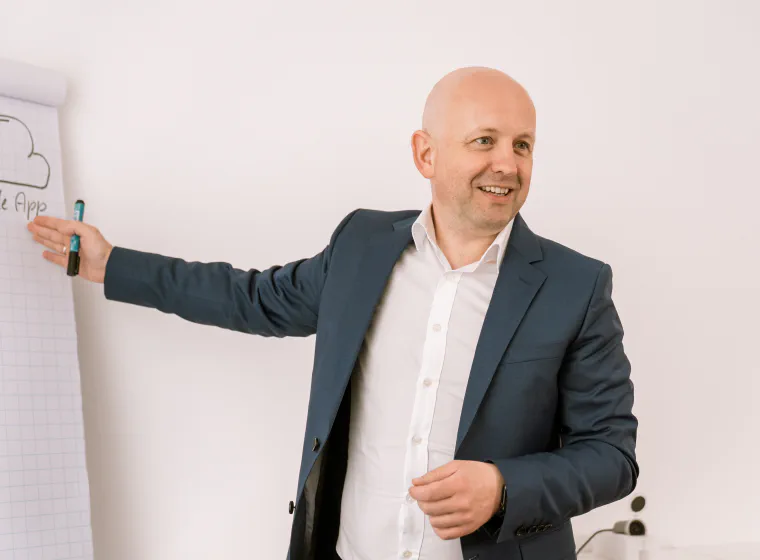

There are plenty of Git trainers. For .NET teams, there’s me.
Most Git trainers live in the terminal and on a Mac. I come from your world and teach Git where your team actually uses it.
Visual Studio, Azure DevOps, GitHub: I show Git where your team works, not in a bare terminal with Linux examples.
I’ve used TFS and Azure DevOps since 2006 and Git since 2011, and I’ve handled several team migrations myself: from Visual SourceSafe through TFVC and Subversion to Git. I know this path from my own experience, not from a textbook.
CRLF line endings, .gitignore for .NET projects, VS-generated files, Credential Manager: the concrete pitfalls generic courses skip.
When AI tools produce many times more code, the review and branching process becomes your safety net. As an AI trainer, I show how your team secures AI-generated code cleanly via branches and pull requests.

Hands-on exercises with my support: your developers do the work, I’m right there to help where it gets tricky.
Frequently asked questions
What prior knowledge does my team need? +
None. We start with the basics and go as deep as your team needs. Mixed teams from beginners to advanced are no problem either.
Do we work on the command line or in Visual Studio? +
However your team works: in Visual Studio, in VS Code, or on the command line. We usually mix them so it’s clear what the IDE does behind the scenes.
GitHub or Azure DevOps? +
Both. I demonstrate pull requests, reviews, and branch protection on the platform your team uses, including the Azure DevOps specifics.
Does the training cover migrating from TFVC or TFS? +
Yes, as a dedicated focus on request: concept mapping from check-in/check-out to commit and branch, migration paths, and the typical pitfalls when switching as a team.
One day or two? +
One day for a solid foundation, two days when branching strategies, team collaboration, and migrating from TFVC need more room. We’ll clarify what fits in the intro call.
Is this slide theory or real practice? +
Hands-on throughout: your team works on real repositories, resolves conflicts, and practices the team workflow. Exercises with my support. Remote or on-site in Bad Breisig, Germany.
Reviews

We are very happy to recommend our Text Control MVP André Krämer as an external trainer and consultant, who can always help our customers efficiently and in a target-oriented manner thanks to his many years of project experience.

Mr. Krämer took a lot of time for a workshop with us. He came very well prepared and the meeting was extremely productive. His expertise in the area of cross-platform development is impressive.
Tell me where your team stands. I'll tailor the training to fit.

André Krämer
Microsoft MVP since 2013 · AI & .NET Trainer · Book Author
CEO of Quality Bytes GmbH
Request this training
A few lines about your team, your tools (Visual Studio, GitHub, or Azure DevOps), and your preferred timeframe. I'll get back to you with a fitting proposal and a no-obligation quote.